

By Ray Baker
When I read that a small manufacturing business in Texas saved an estimated $12,000 a year after introducing an AI chatbot and some smart automation, I wasn’t shocked. I’ve watched too many tradies spend their evenings typing quotes and chasing invoices while their real work sits waiting. An AI admin system for trades isn’t some far-off idea; it’s a practical way to claw back those hours.
What is an AI admin system for trades?
An AI admin system for trades is a software platform that uses artificial intelligence to handle the repetitive admin tasks that eat into your day: quoting, invoicing, scheduling, customer follow-ups and even tax tracking. Instead of jumping between five different apps, you get one system that learns your business and does the heavy lifting for you.
Key takeaways
- An AI admin system can cut hours of paperwork each week by automating quotes, invoices and reminders.
- The best tools understand trade-specific language, job notes and even voice commands.
- Real businesses have seen measurable savings: one US manufacturer saved $12,000 a year and improved process time by 10%.
- You don’t need to be a tech expert; many systems are built for tradies and work on your phone.
- AI won’t replace your judgment; it handles the repetitive stuff so you can focus on the work that pays.
Want a simple system to follow?
My eBook shows you how to set up practical AI workflows for your trade business, step by step.
Start saving timeWhy do trade businesses struggle with admin?
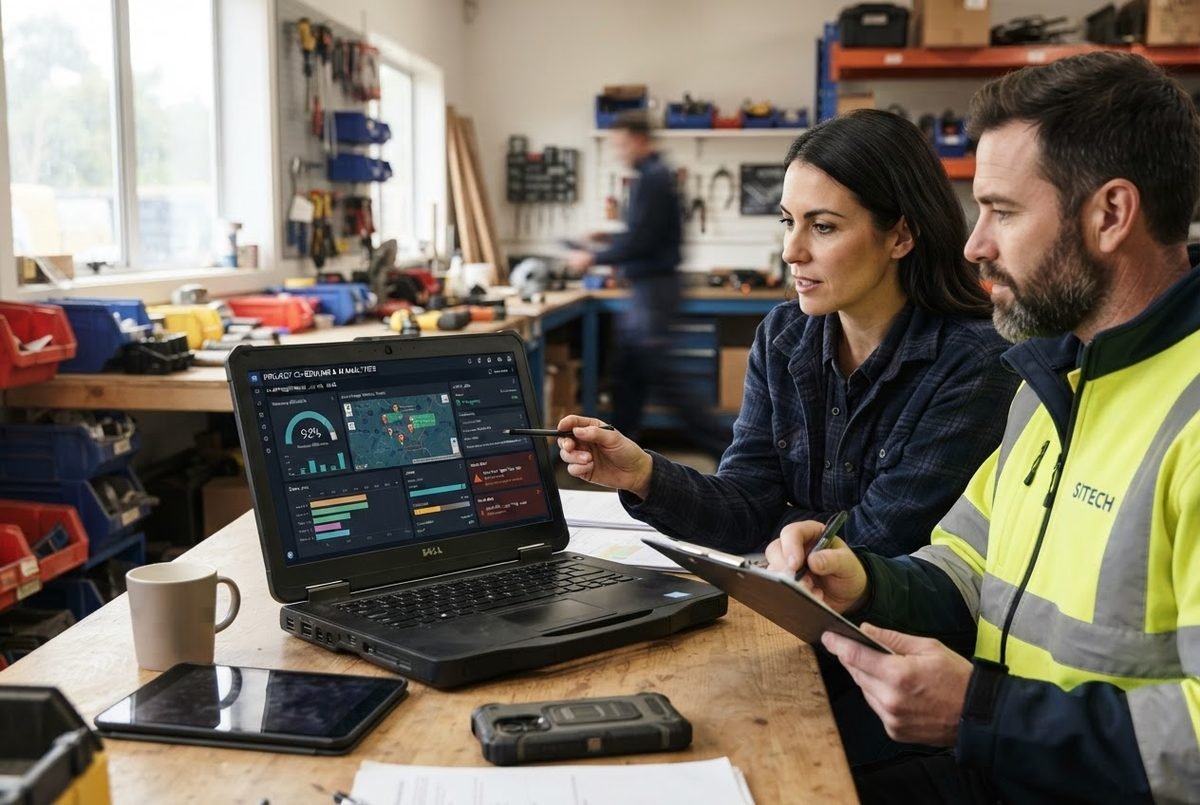
I’ve seen it too often. A sparky finishes a big job, scribbles some notes on a scrap of paper, and three weeks later the invoice still hasn’t gone out. The customer has forgotten the details, and the tradie is too busy (or too polite) to chase the money. That’s not a character flaw; it’s a system problem. Most trade businesses start with the owner doing everything, and the admin tools they pick up along the way don’t talk to each other. Quotes live in a Word doc, invoices in an accounting package, and job details in a notebook. I’ve spoken to plenty of tradies who reckon they lose five to ten hours a week on paperwork. That’s time they could be billing or spending with their family. An AI admin system for trades tackles this by putting everything in one place and automating the handoffs. If you want a deeper look at how AI can help tradies specifically, read my article on AI for tradies and contractors.
How does an AI admin system actually work?
Under the hood, an AI admin system for trades combines a few clever technologies. Natural language processing (NLP) lets the software read your job notes, emails and even spoken instructions. Researchers at the US National Institute of Standards and Technology (NIST) built a tool called Nestor that takes messy, jargon-filled maintenance records and turns them into structured data. That same principle powers trade-focused admin tools today: they can interpret shorthand like “HWS swap” or “RCD trip” and pull the right details into a quote. Robotic process automation (RPA) handles the repetitive clicking and typing: pulling data from one place and putting it where it needs to go. The Fort Worth Gasket and Supply case study used RPA to automate accounts receivable updates and delivery reminders. Modern systems like MyTradeSuite, Struth and Integrator bundle these capabilities into a single app. For a broader look at how AI handles repetitive tasks, see my guide on using an AI admin assistant.

Not sure where to start with AI?
I've put together the exact processes that work for small trade businesses, without the tech overwhelm.
Show me howWhat can you realistically expect?
I’m not going to promise you’ll save exactly $12,000 or cut your admin time in half. Results depend on your current chaos level and how well you implement the tool. But the pattern is clear: with an AI admin system for trades, you stop retyping the same customer details into three different places, and you save time. When the system automatically sends invoice reminders, you get paid faster. The US manufacturer I mentioned earlier saw a 10% improvement in process time and significant annual savings. For a sole trader or small team, that could mean an extra hour or two each day. Tools like Struth claim you can “invoice on the spot” and “get paid faster”. MyTradeSuite says its AI assistant “tells you who owes you money and drafts the chasing for you”. Those are realistic benefits if you put the system to work. Just remember: the tool only helps if you use it consistently and keep your data clean.
5 easy tips for choosing an AI admin system
- Map your biggest time-waster first. Before you look at any tool, write down the three admin tasks that annoy you most. Is it quoting? Chasing payments? Scheduling? Pick a system that solves that specific problem well.
- Check if it speaks your language. Trade businesses use shorthand, abbreviations and job-specific terms. NIST’s Nestor project showed that AI can be trained to understand technical jargon. Ask the vendor how their system handles your trade’s vocabulary, or test it with a few real job notes. If the AI keeps misinterpreting “DB board” as something else, it’ll create more work, not less.
- Make sure it plays nicely with your accounting software. If you use Xero, MYOB or QuickBooks, the AI admin system should sync automatically. Struth, for example, offers direct sync with Xero and MYOB. Double-check this before you commit. Manual data entry between systems defeats the whole purpose.
- Test the AI assistant on a real task. Most tools offer a free trial. Don’t just poke around; run a real quote or invoice through it. See if the AI actually saves you steps or just adds another screen. Pay attention to how it handles edge cases, like a customer who wants a variation to the original quote.
- Don’t expect it to think for you. AI is good at patterns, not judgment. If a customer has a special arrangement, you still need to override the system. The goal is to reduce busywork, not to hand over the keys to your business. Keep your eyes on the output, especially in the first few months.
If you’re ready to build a repeatable system around these tools, read my article on AI business systems.
Ready to cut your admin time?
Learn how to choose and set up the right AI tools for your business, with honest, no-hype advice.
Save hours nowWhat are the risks or downsides?
Before you commit to an AI admin system for trades, consider these potential pitfalls. Like any tool, AI admin systems have their downsides. The US Small Business Administration rightly advises business owners to read up on AI risks and benefits before jumping in. One risk is data security: you’re putting customer details, financials and job records into a cloud system. Make sure the provider has strong encryption and clear data ownership terms. Another is over-reliance: if the AI misclassifies a job or sends a wrong invoice, you’re still responsible. Finally, setup takes time. You’ll need to import your existing data, configure your rates and templates, and learn the interface. It’s not a magic wand, but for most tradies, the upfront effort pays back quickly. I always suggest starting with one feature, like automated invoicing, and expanding from there.
How AI handles the messy side of trades
The best AI admin system for trades works the way you do, not the other way around. Trades are not a desk job. You’re on site, in the ute, or up a ladder. That’s why these systems work with voice, photos and quick taps. Struth markets itself as “talk to your phone. It does the paperwork”. Integrator offers AI voice agents that can answer calls, book jobs and draft quotes 24/7. MyTradeSuite lets you enter a job once and it flows through quote, invoice, payment and tax. These features mean you can capture details on the spot instead of trying to remember them at 9 pm. The AI handles the translation from scribbled notes or voice memos into clean, professional documents. For a simple weekly workflow that ties all this together, have a look at my article on creating an AI workflow for your small business.
{{IMAGE_4}}Related reading
- AI for Tradies and Contractors: Reduce Admin and Follow Up More Enquiries: AI for tradies and contractors: reduce admin and follow up more enquiries
- AI Admin Assistant: Use AI to Handle Repetitive Business Tasks More Easily: Use AI to handle repetitive business tasks more easily
- AI Business Systems: Turn Scattered Tasks Into Repeatable Workflows: Turn scattered tasks into repeatable workflows
- AI Workflow for Small Business: A Simple System You Can Use Every Week: A simple AI workflow you can use every week
Frequently asked questions
Can an AI admin system replace my office manager?
It can handle repetitive tasks like data entry and reminders, but it won’t replace human judgment for complex customer issues or strategic decisions. Think of it as a junior assistant, not a replacement.
Is it hard to set up?
Most modern systems are designed for non-technical users. You’ll spend a few hours importing data and configuring settings, but many offer guided setup and support.
Do I need technical skills?
No, not at all. These tools are built for tradies, with simple mobile apps and plain-language interfaces. If you can use a smartphone, you can use them easily.
How much does it cost?
Pricing varies, but many charge a monthly subscription per user, typically between $30 and $100. Compare that to the value of your saved time each week.
Is my data safe?
Reputable providers use industry-standard encryption and secure servers to protect your information. Always check their privacy policy and ensure you retain full ownership of your data.
What if the AI makes a mistake?
You should always review AI-generated quotes and invoices carefully before sending them. The system learns over time, but you remain the final check on everything that goes out.
Honest take
I’ve seen enough tradies burn out on paperwork to know that an AI admin system for trades can be a genuine help. It won’t build your business for you, and it won’t turn a bad operator into a good one. But if you choose a tool that fits your workflow and put in the effort to set it up properly, you’ll spend less time on admin and more time earning. That’s a win in my book.
References
- NIST. Fort Worth Gasket and Supply Enhances Mission Readiness with AI Chatbot, Robotic Process Automation, and Power BI. 2025. https://www.nist.gov/mep/successstories/2025/fort-worth-gasket-and-supply-enhances-mission-readiness-ai-chatbot-robotic
- National Institute of Standards and Technology (NIST). Nestor: A Tool for Natural Language Annotation of Short Texts. https://tsapps.nist.gov/publication/get_pdf.cfm?pub_id=928708
- MyTradeSuite. Your AI assistant for running your trade business. https://mytradesuite.com/
- Struth. Talk to your phone. It does the paperwork. https://struth.app/
- Integrator. The Operating System for Smart Businesses. https://integrator.software/
- U.S. Small Business Administration. AI for small business. https://www.sba.gov/counseling/manage-your-business/#ai-for-small-business
Keep shipping useful messages,
Ray Baker
Want to Use AI More Effectively in Your Business?
AI XLence gives small business owners practical ways to save time, improve productivity, reduce workload, and grow revenue using AI.

